
ERP vs CRM: Key Differences for UK Businesses
Navitrends UK · 23 October 2026 · Updated 23/10/2026
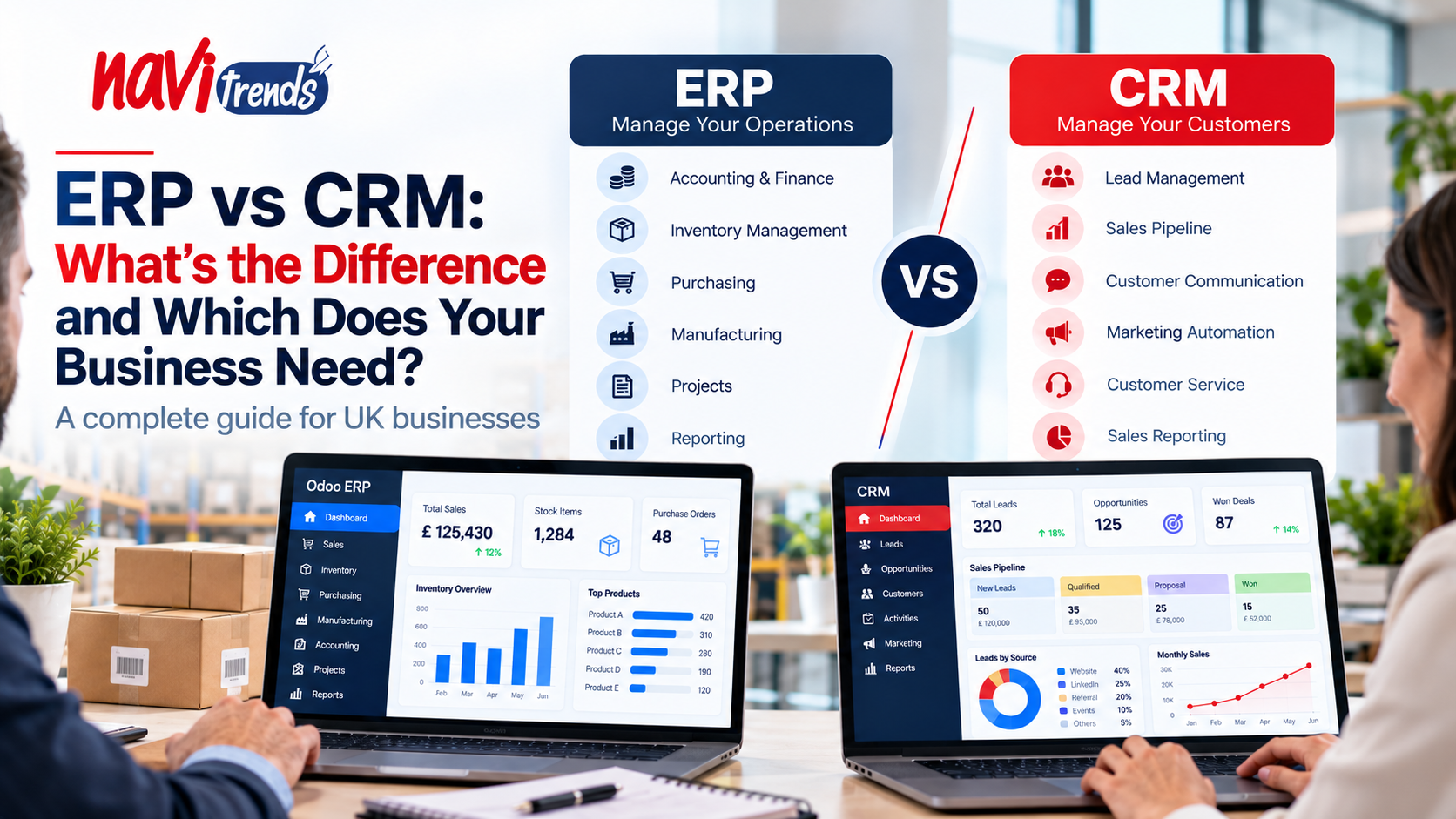
ERP vs CRM: What's the Difference and Which Does Your Business Need?
As businesses grow, managing customer relationships, sales, accounting, inventory and daily operations becomes increasingly complex.
Two types of software frequently appear when organisations explore digital transformation: Enterprise Resource Planning (ERP) and Customer Relationship Management (CRM).
Although both systems help businesses organise information and improve processes, they serve different primary purposes.
Understanding the difference between ERP and CRM can help UK businesses make better technology decisions, avoid unnecessary software investments and connect their teams more effectively.
This guide explains how ERP and CRM systems work, their key differences, and when businesses should consider using one or both.
What Is ERP Software?
Enterprise Resource Planning (ERP) software helps organisations manage and connect core business operations through an integrated system.
Rather than maintaining separate records across departments, ERP software can provide shared information for finance, purchasing, inventory, manufacturing and other operational functions.
Common ERP capabilities include:
Accounting and financial management
Inventory and warehouse management
Purchasing and supplier management
Sales order processing
Manufacturing and production planning
Project management
Reporting and analytics
For example, when a customer places an order, an integrated ERP can help connect order processing with inventory availability, purchasing requirements and financial records.
The exact functionality depends on the platform and its configuration.
Explore NaviTrends Odoo ERP solutions to learn more about integrated business management.
What Is CRM Software?
Customer Relationship Management (CRM) software focuses primarily on managing interactions with customers and potential customers.
It helps sales, marketing and customer-facing teams organise information throughout the customer relationship.
Typical CRM capabilities include:
Contact and company management
Lead and opportunity tracking
Sales pipeline management
Customer communication history
Follow-up activities
Sales forecasting
Marketing and customer service integrations
For example, a sales representative may use a CRM system to record a new enquiry, schedule a follow-up, prepare a quotation and track an opportunity through the sales pipeline.
CRM software helps teams maintain visibility over commercial relationships and activities.
ERP vs CRM: Key Differences
The main difference between ERP and CRM is their primary focus.
ERP focuses on managing business operations, while CRM focuses on managing customer relationships and sales activities.
Feature | ERP | CRM |
|---|---|---|
Main purpose | Manage business operations | Manage customer relationships |
Primary users | Finance, operations, purchasing, management | Sales, marketing, customer service |
Accounting | Common core functionality | Usually requires integration |
Inventory management | Commonly available | Usually requires integration |
Sales pipeline | Available in some ERP suites | Core functionality |
Manufacturing | Available in suitable ERP platforms | Not typically a core feature |
Customer interactions | Varies by platform | Core functionality |
Business reporting | Operational and financial reporting | Sales and customer reporting |
Modern ERP platforms may include CRM applications, so the distinction is not always between two separate products.
Benefits of ERP Software
1. Connected Business Processes
ERP systems can connect departments that previously relied on separate applications and spreadsheets.
This helps reduce duplicated data and improve operational coordination.
2. Better Financial Visibility
By connecting financial records with purchasing, sales and other activities, ERP software can support more consistent reporting.
3. Improved Inventory Management
Businesses handling physical products can use ERP inventory functionality to track stock movements and coordinate purchasing.
Read our ERP Inventory Management guide for more information.
4. More Structured Operations
ERP systems can support standardised workflows, approvals and operational records.
5. Support for Business Growth
An appropriately configured ERP can provide a foundation for managing increasing transaction volumes and organisational complexity.
Benefits of CRM Software
1. Better Lead Management
CRM systems help sales teams organise enquiries and track potential customers.
2. Improved Sales Pipeline Visibility
Managers can review opportunities at different stages and identify activities requiring attention.
3. More Consistent Customer Communication
Shared customer records can help teams understand previous interactions and coordinate follow-ups.
4. Sales Performance Reporting
CRM dashboards can provide information about opportunities, pipeline values and sales activities.
5. Stronger Customer Relationships
When used effectively, CRM software can help teams deliver more organised and consistent customer experiences.
Does a Small Business Need ERP or CRM?
The right choice depends on the organisation's most important challenges.
Choose CRM First When:
Sales opportunities are difficult to track
Customer information is spread across different files
Follow-up activities are frequently missed
Sales teams need a shared pipeline
The business wants better visibility over customer interactions
Consider ERP First When:
Inventory records are unreliable
Accounting and operations are disconnected
Purchasing involves excessive manual work
Manufacturing or warehouse processes need coordination
Management lacks consistent operational reporting
Some businesses may need both systems from the beginning, while others can introduce additional functionality gradually.
The most effective decision starts with a review of actual business processes.
Can ERP and CRM Work Together?
Yes. ERP and CRM systems can complement each other.
A CRM system can manage the commercial relationship before an order is confirmed, while ERP software can support fulfilment, inventory, purchasing and invoicing.
For example:
A potential customer submits an enquiry.
The sales team creates an opportunity in the CRM.
A quotation is prepared and approved.
The customer confirms the order.
The order information is transferred to the ERP.
Inventory and fulfilment processes are coordinated.
Financial records and invoicing are managed.
Relevant order information is made available to customer-facing teams.
The precise workflow depends on the software products and integrations involved.
Why ERP and CRM Integration Matters
When ERP and CRM operate independently, businesses may experience duplicated records and inconsistent information.
Integrating them can provide several advantages.
Reduced Duplicate Data Entry
Customer and order information can move between connected systems without requiring repeated manual entry.
Improved Sales-to-Operations Handover
Operations teams can receive relevant order details from sales teams more consistently.
Better Customer Service
Customer-facing employees may be able to access order status and other relevant operational information.
More Connected Reporting
Integrated data can support analysis across customer activity, sales and operational performance.
However, integration requires careful planning around data ownership, synchronisation, access permissions and error handling.
ERP and CRM in Odoo
Odoo offers ERP and CRM functionality within its modular application ecosystem.
Businesses can use Odoo CRM to manage leads and opportunities while connecting commercial activities with applications such as Sales, Inventory, Purchase and Accounting.
This approach may reduce the need for separate software products, depending on business requirements.
The available workflows and features depend on the selected applications, edition and configuration.
Learn more about Odoo solutions from NaviTrends.
ERP and CRM in ERPNext
ERPNext includes customer and selling functionality alongside its accounting, stock, buying and other business modules.
This allows organisations to connect relevant commercial records with operational processes.
Businesses should evaluate whether its available customer management capabilities meet their sales requirements, particularly when advanced CRM functionality is needed.
Explore ERPNext services from NaviTrends.
ERP vs CRM: Which Is More Expensive?
Neither category is automatically more expensive.
Costs depend on factors such as:
Number of users
Required modules and features
Software licensing or subscriptions
Implementation complexity
Data migration
Integration requirements
Customisation
Training and support
A standalone CRM implementation may have a smaller scope than a company-wide ERP project, but this is not always the case.
Businesses should compare total cost of ownership rather than focusing only on monthly subscription prices.
Common Mistakes When Choosing ERP or CRM
Selecting Software Before Identifying Problems
A business should understand which processes need improvement before selecting a platform.
Assuming CRM Can Replace ERP
CRM software does not typically provide the full operational and financial functionality of an ERP system.
Assuming ERP Always Includes Advanced CRM
Some ERP systems provide basic customer records but may not include all the specialised capabilities of a dedicated CRM platform.
Ignoring Integration Requirements
Businesses should evaluate how information will move between systems before implementation.
Underestimating Employee Training
Even suitable software can deliver disappointing results if employees do not understand how to use it effectively.
How to Choose the Right Solution for Your UK Business
A structured evaluation can make the decision easier.
Step 1: Identify your main challenges. Determine whether the biggest problems relate to customer management, internal operations or both.
Step 2: Review existing systems. Identify which applications are already used and where information is duplicated.
Step 3: Define essential requirements. Prioritise functionality that addresses immediate business needs.
Step 4: Compare suitable solutions. Evaluate demonstrations based on realistic workflows.
Step 5: Consider integration and scalability. Understand how the chosen solution will support future changes.
Step 6: Plan implementation and training. Establish responsibilities, prepare data and support employees during adoption.
How NaviTrends Can Help
At NaviTrends, we help businesses explore ERP solutions that connect their processes and support digital transformation.
For organisations evaluating ERP and CRM requirements, the starting point is understanding how sales, finance, purchasing and operations currently exchange information.
We focus on identifying practical opportunities to improve workflows, reduce disconnected processes and support more consistent business information.
Whether your business is considering Odoo, ERPNext or the integration of existing applications, choosing the right approach begins with clear operational requirements.
Frequently Asked Questions
What is the main difference between ERP and CRM?
ERP primarily manages internal business operations such as finance, purchasing and inventory. CRM primarily manages customer relationships, leads and sales activities.
Can CRM replace ERP?
Generally, no. CRM systems do not usually provide the full financial, inventory and operational capabilities of an ERP platform.
Does ERP software include CRM?
Some ERP platforms include CRM functionality or offer it as an integrated application. The available features vary between solutions.
Can small businesses use both ERP and CRM?
Yes. Small businesses can use both when their operational and customer management requirements justify the investment.
Is Odoo an ERP or CRM?
Odoo is a modular business application platform that includes ERP functionality and a CRM application.
Is ERPNext suitable for customer management?
ERPNext includes customer and selling functionality, but businesses should evaluate whether it meets their specific CRM requirements.
Final Thoughts
ERP and CRM software solve different but complementary business problems.
CRM helps businesses organise customer relationships and sales activities, while ERP helps connect finance, inventory, purchasing and wider operations.
For UK businesses, the best approach is not necessarily choosing one over the other.
The priority is understanding which processes need improvement and selecting technology that supports those requirements.
Looking to connect your sales and business operations?
Explore NaviTrends Odoo solutions and ERPNext services to learn more about integrated business management.