
ERP Purchase Order Management: A Guide for UK Businesses
Navitrends UK · 22 October 2026 · Updated 22/10/2026
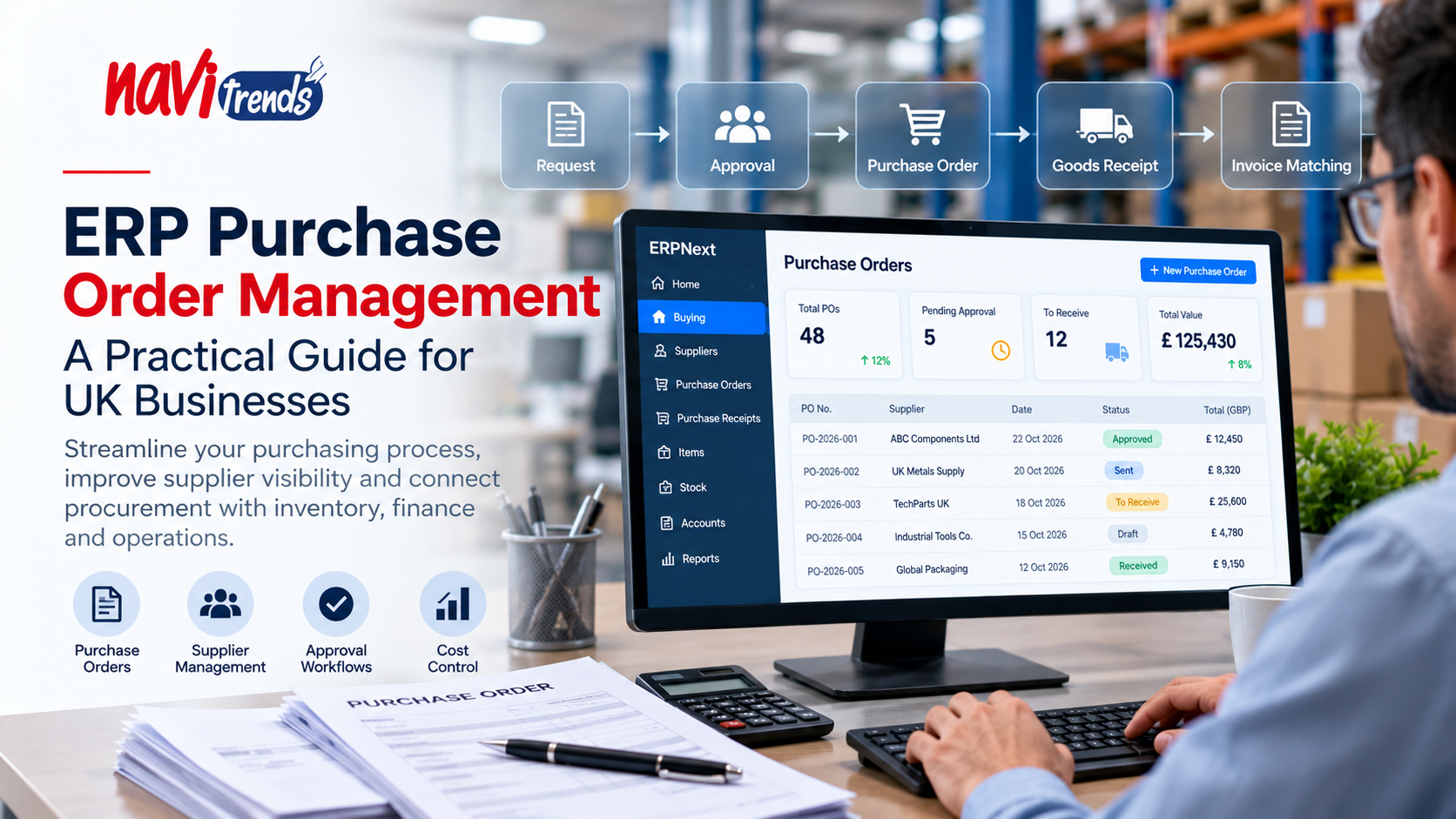
ERP Purchase Order Management: A Practical Guide for UK Businesses
Managing purchase orders is a fundamental part of running a business. Whether an organisation purchases raw materials, office supplies, equipment or products for resale, every order needs to be accurate, approved and properly tracked.
However, many growing businesses still rely on spreadsheets, emails and manual processes to manage purchasing.
As order volumes increase, these methods can create delays, duplicate information and limited visibility over supplier commitments.
ERP purchase order management helps businesses connect procurement with inventory, accounting and wider operational processes.
In this guide, we explain how ERP purchase order management works, its main benefits and what UK businesses should consider when choosing a solution.
What Is ERP Purchase Order Management?
ERP purchase order management is the process of creating, approving, tracking and managing purchase orders within an Enterprise Resource Planning system.
A purchase order is a document issued by a buyer to a supplier specifying the products or services being ordered, quantities, agreed prices and other relevant terms.
An ERP system can bring purchasing information into a shared business environment, helping teams coordinate activities from purchase requests through to goods receipt and invoicing.
Depending on the platform and configuration, an ERP purchasing workflow may include:
Purchase requests and internal approvals
Supplier quotations and price comparisons
Purchase order creation
Order status tracking
Goods receipt and quantity verification
Supplier invoice matching
Purchasing reports and analysis
By connecting these processes, businesses can reduce reliance on disconnected documents and improve visibility across departments.
Common Purchase Order Challenges
1. Manual Purchase Order Creation
Creating purchase orders manually can be time-consuming, particularly when employees repeatedly enter supplier details, product codes and prices.
Manual data entry also increases the risk of mistakes.
ERP software can help standardise purchasing documents and reuse existing supplier and product information.
2. Missing Approvals
Without a structured approval process, purchases may be authorised inconsistently or placed without sufficient oversight.
ERP workflows can support approval rules based on responsibilities, purchasing limits or other business requirements.
The availability and flexibility of these rules vary between systems.
3. Limited Supplier Order Visibility
When purchasing information is spread across email conversations and spreadsheets, employees may struggle to identify outstanding orders or expected deliveries.
An ERP system can provide a central location for purchase order records and status information.
4. Disconnected Purchasing and Inventory
Purchasing decisions often depend on current stock levels, expected demand and existing supplier orders.
If inventory and purchasing systems are disconnected, teams may order unnecessary quantities or overlook replenishment requirements.
An integrated ERP can help coordinate these processes.
5. Invoice and Delivery Discrepancies
Differences between ordered quantities, delivered products and supplier invoices can create administrative work and payment delays.
ERP systems may support matching purchase orders, goods receipts and invoices to help identify discrepancies before payment.
How the ERP Purchase Order Process Works
A typical ERP purchasing process follows several connected stages.
Step 1: Identify a Purchasing Requirement
A requirement may originate from low stock levels, a production plan, a project or an internal department.
Some ERP systems can generate purchasing suggestions based on configured replenishment rules.
Step 2: Request and Compare Supplier Quotations
Purchasing teams can request quotations and evaluate supplier proposals.
Relevant criteria may include price, delivery terms, product specifications and supplier reliability.
Step 3: Create and Approve the Purchase Order
Once the supplier and requirements are confirmed, the purchasing team creates a purchase order.
Depending on internal policies, the order may need approval before being sent to the supplier.
Step 4: Track the Supplier Order
The purchase order remains available for tracking and operational coordination.
Teams can review outstanding quantities, delivery information and order status.
Step 5: Record Goods or Services Received
When products arrive, warehouse or receiving teams can record the quantities received.
This helps maintain consistent purchasing and inventory information.
Step 6: Process the Supplier Invoice
Accounting teams can review supplier invoices against purchasing and receipt records, where supported.
This can improve control over discrepancies and payment processing.
Benefits of ERP Purchase Order Management
Better Purchasing Visibility
A shared purchasing system can help managers understand what has been ordered, what remains outstanding and which suppliers are involved.
This information supports operational planning and communication between departments.
Reduced Administrative Work
Standardised records, reusable supplier information and automated workflows can reduce repetitive manual tasks.
The level of automation depends on the ERP configuration and the organisation's processes.
Improved Cost Control
Structured approval processes and purchasing reports can help businesses monitor spending and identify purchasing patterns.
An ERP does not automatically reduce costs, but it can provide information that supports more informed decisions.
Stronger Supplier Coordination
Centralised supplier and order records can make it easier to review purchasing history, follow up on outstanding deliveries and manage supplier relationships.
Better Inventory Planning
When purchasing and inventory share information, teams can make replenishment decisions using stock availability and outstanding order data.
For a broader explanation, read our guide to ERP Inventory Management Software:
ERP Inventory Management Software for UK Businesses
More Consistent Financial Information
Connecting purchasing with accounting can help reduce duplicated data entry and improve consistency between operational and financial records.
ERP Purchase Order Management vs Manual Purchasing
Area | Manual Purchasing | ERP-Based Purchasing |
|---|---|---|
Purchase order creation | Documents and spreadsheets | Centralised purchasing records |
Approvals | Emails or informal processes | Configurable approval workflows |
Supplier information | Often stored separately | Shared supplier records |
Inventory coordination | Manual checks may be required | Potentially integrated |
Invoice matching | Often performed manually | System-supported matching where available |
Reporting | Manual consolidation | Built-in reporting capabilities |
Manual purchasing may remain sufficient for organisations with simple requirements and low transaction volumes.
ERP purchasing becomes more relevant when business complexity, order volumes and coordination requirements increase.
Which UK Businesses Can Benefit?
Manufacturing Companies
Manufacturers need to purchase raw materials, components and services while coordinating procurement with production requirements.
ERP purchasing can help connect material planning, supplier orders and inventory information.
Wholesale and Distribution
Distributors frequently purchase products for resale and need visibility over supplier deliveries and available stock.
An integrated system can help coordinate purchasing and fulfilment.
Construction Businesses
Construction companies may need to purchase materials and services for individual projects.
ERP purchasing can support order records, approval processes and project-related cost visibility when properly configured.
Growing Small and Medium-Sized Enterprises
As SMEs expand, purchasing responsibilities may become distributed across several employees or departments.
ERP workflows can introduce more consistent processes without relying entirely on informal communication.
Odoo and ERPNext for Purchase Order Management
Two platforms businesses may consider are Odoo and ERPNext.
Odoo Purchase
Odoo provides purchasing functionality that can connect with its Inventory, Accounting and other business applications.
Depending on the version, edition and configuration, organisations can manage supplier quotations, purchase orders and purchasing workflows.
Learn more about Odoo ERP solutions.
ERPNext Buying
ERPNext includes buying and supplier management functionality within its wider ERP environment.
Businesses can manage supplier records, purchase orders, purchase receipts and related accounting processes.
Explore ERPNext solutions.
The appropriate choice depends on purchasing complexity, required integrations, internal resources and long-term business objectives.
How to Choose ERP Purchase Order Software
Before implementing a purchasing solution, businesses should assess several important questions:
How are purchase requests currently created and approved?
How many suppliers and purchase orders are managed each month?
Which employees need access to purchasing information?
Should purchasing connect with inventory, manufacturing or projects?
What financial controls and approval limits are required?
Are existing accounting or supplier systems involved?
Which purchasing reports are essential for management?
Understanding these requirements helps avoid unnecessary customisation and supports a more focused implementation.
Best Practices for Implementation
Document Existing Processes
Review how employees request purchases, choose suppliers, approve orders and record deliveries.
Identify recurring delays, manual work and areas where responsibilities are unclear.
Clean Supplier and Product Data
Accurate supplier details, product descriptions, pricing information and units of measure are essential for reliable purchasing records.
Configure Approval Responsibilities
Define who can create, review and approve purchases.
Ensure workflows reflect actual business responsibilities.
Integrate Purchasing with Related Processes
Consider how purchasing information should connect with inventory, accounting and other relevant functions.
Train Users and Review Results
Employees should understand the new purchasing process before launch.
After implementation, review approval times, purchasing accuracy, supplier coordination and user feedback.
How NaviTrends Can Help
At NaviTrends, we help businesses explore and implement ERP solutions designed around their operational requirements.
For organisations reviewing their purchasing processes, this can involve analysing existing workflows, identifying integration needs, selecting appropriate ERP functionality and supporting implementation.
Our focus is on connecting business processes in ways that support visibility, consistency and operational efficiency.
Whether you are considering Odoo, ERPNext or a broader ERP transformation, understanding your purchasing requirements is an important first step.
Final Thoughts
ERP purchase order management can help UK businesses replace fragmented purchasing records with more structured and connected processes.
By linking purchasing with inventory, finance and supplier information, organisations can improve coordination and make more informed operational decisions.
The right approach depends on business requirements, data quality and how effectively employees adopt the new system.
Looking to improve purchasing workflows and connect your business operations?
Explore NaviTrends Odoo solutions or discover our ERPNext services to learn more about ERP implementation options for your business.