
ERP Systems UK: What Businesses Should Consider Before Choosing
Navitrends UK · 13 October 2026 · Updated 14/10/2026
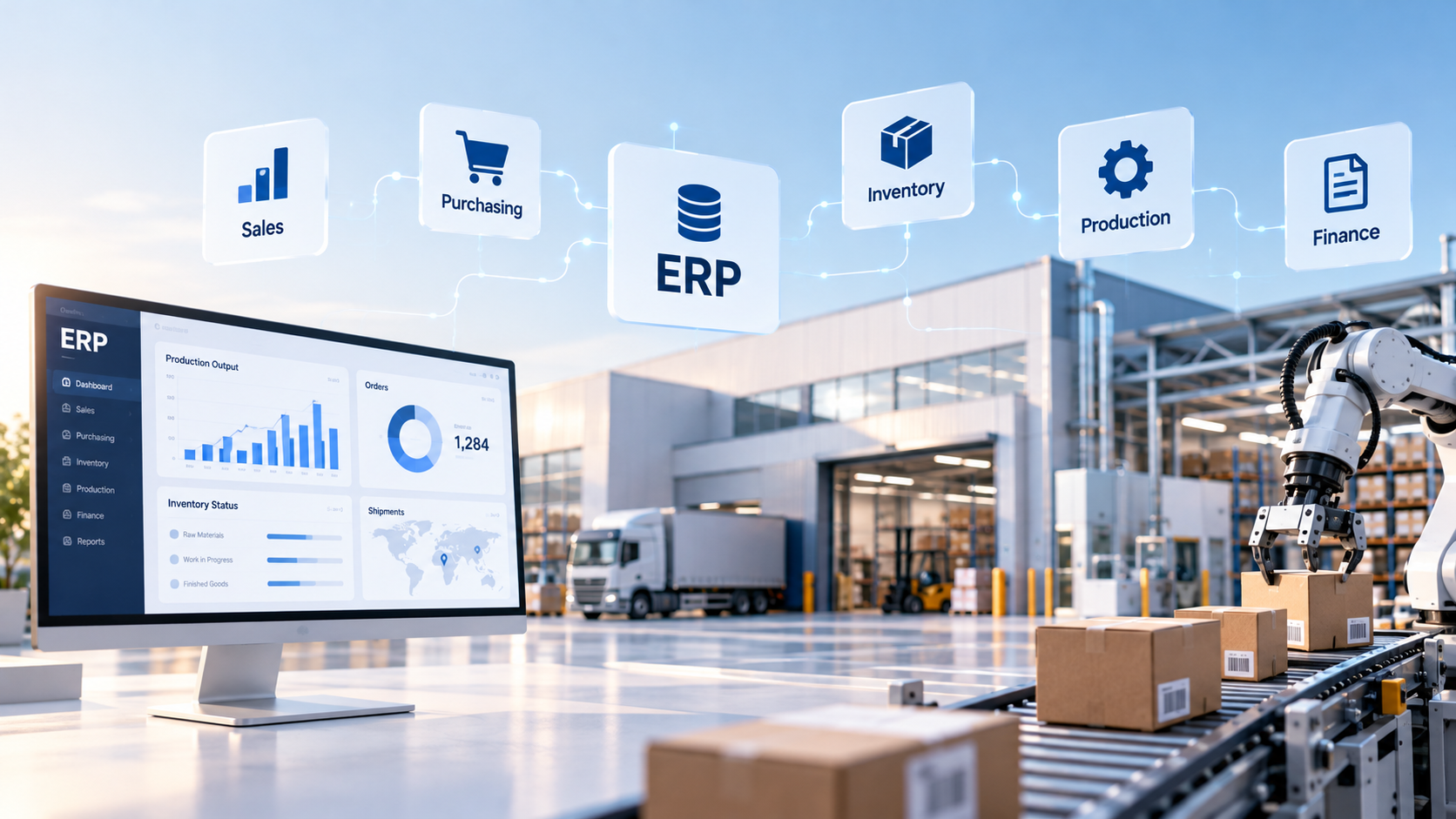
Businesses across the UK rely on a wide range of applications to manage finance, sales, purchasing, inventory and daily operations.
As organisations grow, managing these activities across disconnected systems can become increasingly difficult.
ERP systems in the UK offer a way to connect business processes, improve information consistency and support more coordinated operations.
However, selecting an ERP system requires more than comparing software features. UK businesses need to evaluate their operational requirements, existing applications, implementation costs and long-term responsibilities.
This guide explains what ERP systems do, the main options available and how to make an informed decision.
What Are ERP Systems?
Enterprise Resource Planning (ERP) systems are software platforms designed to manage and connect important business processes.
Depending on the platform and configuration, an ERP may support:
Finance and accounting
Sales and customer management
Purchasing and supplier management
Inventory and warehouse operations
Manufacturing and production planning
Project and service management
Human resources
Reporting and analytics
Instead of managing each activity through entirely separate applications, an ERP can provide shared information and coordinated workflows.
For example, a sales order may influence inventory availability, purchasing requirements, customer invoicing and financial reporting.
The specific functionality depends on the selected system, its modules and any required integrations.
Why Do UK Businesses Use ERP Systems?
Businesses consider ERP systems for different reasons.
Some want to replace ageing software. Others need to connect existing departments, improve reporting or support more complex operations.
Connecting Business Processes
Separate systems can make it difficult to maintain consistent information across teams.
An ERP can help connect selected processes through shared records and integrated workflows.
Reducing Repeated Data Entry
Employees may enter customer, supplier or product information into several applications.
Connecting these processes can reduce unnecessary duplication, depending on the system configuration.
Improving Operational Visibility
Management teams often need information from finance, sales, purchasing and operations.
An ERP can support more consistent reporting when the underlying data is accurate.
Supporting Business Growth
As organisations expand, they may require more structured approvals, additional reporting and greater coordination between departments.
A configurable ERP can help support evolving processes, although scalability should be assessed for each platform.
Improving Process Consistency
Defined workflows and user permissions can help organisations establish more consistent ways of working.
However, ERP software does not automatically resolve unclear or inefficient business processes.
Types of ERP Systems Available in the UK
ERP systems can be classified in several ways.
Cloud ERP Systems
Cloud ERP platforms are accessed through hosted infrastructure.
Depending on the service model, hosting, maintenance and updates may be managed partly by the software or hosting provider.
Cloud deployment can reduce some infrastructure responsibilities, but businesses still need to consider security, access management, integrations and ongoing costs.
On-Premise ERP Systems
On-premise ERP is deployed on infrastructure managed by the organisation or a chosen technical provider.
This approach may provide different levels of infrastructure control but also introduces responsibilities for maintenance, security, backups and updates.
Open-Source ERP Systems
Open-source ERP platforms provide access to software source code under their respective licences.
This can offer flexibility for configuration and development, but implementation and ongoing maintenance still require appropriate technical expertise.
Industry-Specific ERP Systems
Some ERP platforms are designed for particular sectors, while others provide broader functionality that can be configured for different industries.
Industry-specific requirements should be evaluated carefully rather than assuming that a sector label guarantees a suitable fit.
Key Features to Compare in ERP Systems
The most important features depend on the organisation's business model and operational priorities.
Finance and Accounting
Financial capabilities may include general ledger management, customer invoicing, supplier bills, payments and reporting.
UK businesses should verify that the selected software and configuration meet their applicable accounting, tax and reporting requirements.
Sales and Customer Management
Businesses may require quotations, sales orders, customer records, pricing rules and invoicing.
The value of these features depends on how they connect with existing sales processes.
Purchasing and Supplier Management
Purchasing functionality may support purchase requests, approvals, orders, deliveries and supplier records.
Requirements can vary significantly between service providers, distributors and manufacturers.
Inventory and Warehouse Management
Organisations handling physical goods may need stock tracking, transfers, warehouse locations and inventory reporting.
More complex operations may require additional capabilities or specialist integrations.
Manufacturing and Production
Manufacturers may require bills of materials, production orders, material planning and operational reporting.
The suitability of a platform depends on the complexity of its production processes.
Reporting and Analytics
ERP reporting can help organisations monitor financial and operational indicators.
Reliable reporting requires consistent data definitions, appropriate access controls and accurate records.
Integration Capabilities
An ERP may need to communicate with e-commerce platforms, CRM tools, accounting applications or specialist industry software.
Available APIs, integration methods and technical limitations should be reviewed before implementation.
ERP Systems UK: Which Platforms Should Businesses Consider?
There are several established ERP platforms available to UK organisations.
Examples include SAP, Microsoft Dynamics 365, Oracle NetSuite, Sage, Odoo and ERPNext.
These platforms differ in functionality, architecture, licensing, deployment options, ecosystem and implementation requirements.
A suitable shortlist should be based on business requirements rather than popularity alone.
SAP
SAP offers enterprise software solutions across finance, operations and other business functions.
The suitability of a particular SAP product depends on organisational requirements and the selected product offering.
Microsoft Dynamics 365
Microsoft Dynamics 365 includes business applications covering areas such as finance, operations, sales and customer management.
Businesses should evaluate the specific applications and implementation scope required.
Oracle NetSuite
NetSuite is a cloud-based business management platform offering ERP-related capabilities across several business functions.
Its suitability depends on operational requirements, commercial arrangements and implementation needs.
Sage
Sage provides different accounting and business management products.
Organisations should distinguish between the specific Sage products available rather than treating them as one ERP solution.
Odoo
Odoo offers applications covering sales, purchasing, inventory, accounting and other business processes.
Businesses should review the relevant edition, applications, configuration requirements and ongoing support arrangements.
NaviTrends provides Odoo implementation and customisation services for organisations evaluating this platform.
ERPNext
ERPNext is an open-source ERP platform offering capabilities across accounting, sales, purchasing, inventory, projects and other business functions.
Implementation considerations include hosting, configuration, data migration, integrations and maintenance.
NaviTrends supports ERPNext implementation and customisation based on business requirements.
Important: No single platform is automatically the best ERP system for every UK business. Each option should be assessed against the organisation's actual needs.
What Should UK Businesses Consider Before Choosing an ERP?
UK organisations should evaluate both operational and regulatory requirements.
Business Processes
Document how the organisation currently manages finance, sales, purchasing, inventory and other important activities.
Identify the problems the ERP project is expected to solve.
UK Accounting and Tax Requirements
Businesses should confirm that the proposed system and its configuration support relevant UK accounting and tax obligations.
For example, where Making Tax Digital requirements apply, the business should verify the suitability of its software and any required integrations.
Compliance should never be assumed from the ERP brand alone.
Data Protection and Security
Businesses should consider their responsibilities under applicable UK data protection requirements, including the UK GDPR where relevant.
Important questions include where data is hosted, who can access it, how information is protected and what arrangements apply to service providers.
Existing Software
An organisation may already use effective applications for particular business functions.
ERP implementation does not always require replacing every existing system.
Internal Resources
The business should assess whether it has the skills and capacity to support implementation, testing, training and ongoing administration.
Total Cost of Ownership
Costs extend beyond software subscriptions.
Businesses should consider configuration, migration, integration, training, hosting, maintenance and future changes.
How Much Do ERP Systems Cost in the UK?
ERP pricing depends on the selected platform, number of users, required modules, deployment model and implementation complexity.
A typical ERP budget may include:
Software licences or subscriptions
Hosting and infrastructure
Business analysis and requirements definition
Configuration and customisation
Data migration
Integration with existing systems
Testing and training
Ongoing support and maintenance
A relatively straightforward implementation may have different requirements from a project involving several departments, complex processes and multiple integrations.
Businesses should request proposals that clearly define scope, assumptions, responsibilities and ongoing costs.
Comparing subscription prices alone may not provide a reliable picture of the total investment.
ERP Systems vs Separate Business Applications
Some organisations use individual applications for accounting, CRM, inventory and project management.
This approach can be appropriate when those applications meet business requirements and exchange information reliably.
ERP systems aim to connect a wider range of business processes.
However, a business does not necessarily need to replace every existing application.
A hybrid approach, combining an ERP with selected specialist tools, may be suitable where integration is technically and operationally practical.
The decision should be based on process requirements, system capabilities and long-term maintenance considerations.
How to Choose the Right ERP System in the UK
A structured selection process can help organisations avoid unnecessary complexity.
Step 1: Identify the Business Problems
Start by documenting current operational difficulties.
These may involve inconsistent data, disconnected applications, manual reporting or limited visibility across departments.
Step 2: Define Essential Requirements
Create a clear list of required functionality.
Separate essential needs from optional features.
Step 3: Review Existing Systems
Identify which applications should remain in use and what information needs to move between them.
Step 4: Create a Relevant ERP Shortlist
Compare platforms based on requirements, deployment options, integration capabilities and implementation considerations.
Step 5: Evaluate Real Business Scenarios
Ask potential providers or implementation teams to demonstrate how the system handles representative workflows.
For example, a distributor might evaluate a process from customer order to stock allocation, delivery and invoicing.
Step 6: Assess Implementation Costs and Risks
Review migration, configuration, customisation, training and support requirements.
Clarify responsibilities and project assumptions.
Step 7: Plan Testing and Adoption
Involve relevant business users in testing and training.
An ERP should be validated against realistic operational scenarios before deployment.
Common ERP Selection Mistakes
Choosing Based Only on Software Popularity
A widely used platform is not necessarily the best fit for every organisation.
Focusing Only on Subscription Costs
Implementation, integration, training and maintenance can be significant parts of the overall budget.
Underestimating Data Migration
Existing information may require cleaning, mapping and validation before it can be used reliably.
Ignoring Existing Integrations
An ERP may need to exchange information with other important applications.
Integration requirements should be considered early.
Over-Customising the System
Custom development should address clearly defined requirements.
Standard features and configuration options should be evaluated first.
Excluding Business Users
ERP projects affect everyday processes.
Operational, finance and management teams should contribute to requirements and testing.
Can ERP Systems Be Implemented Gradually?
In some cases, yes.
A phased implementation may allow an organisation to introduce selected functionality over time.
For example, a business might begin with purchasing and inventory before extending the implementation to additional processes.
However, the appropriate sequence depends on system architecture, data dependencies and operational requirements.
A phased approach should be planned carefully rather than assuming every module can operate independently.
Frequently Asked Questions About ERP Systems in the UK
What is an ERP system?
An ERP system is software designed to connect and manage business processes such as finance, purchasing, sales, inventory and operations.
What are the main ERP systems available in the UK?
UK businesses can evaluate platforms such as SAP, Microsoft Dynamics 365, Oracle NetSuite, Sage products, Odoo and ERPNext. The appropriate choice depends on business requirements.
Which ERP system is best for a UK small business?
There is no universal best option. The decision depends on operational complexity, budget, required features, existing applications and available technical resources.
How much does an ERP system cost in the UK?
Costs vary according to software licensing, number of users, implementation scope, configuration, customisation, integration, migration and support.
Do ERP systems support UK accounting requirements?
Some ERP platforms and configurations can support relevant UK accounting processes. Businesses must verify applicable tax, reporting and software requirements before implementation.
Is cloud ERP better than on-premise ERP?
Neither approach is automatically better. Businesses should compare security, hosting, technical resources, integrations, maintenance responsibilities and total costs.
Can an ERP system integrate with existing software?
Potentially, yes. Integration depends on available APIs, technical capabilities, data requirements and the applications involved.
How long does ERP implementation take?
Implementation timelines vary according to project scope, business complexity, data quality, customisation, integrations and training requirements.
Planning an ERP Project With NaviTrends
Choosing between ERP systems in the UK requires a clear understanding of business processes, technical requirements and implementation responsibilities.
At NaviTrends, we help organisations analyse operational needs, implement and customise ERP platforms, connect existing applications and automate suitable workflows.
Whether your business is selecting its first ERP or improving an existing environment, a structured assessment can help identify the right next steps.
Explore our Odoo implementation and customisation services and ERPNext implementation and customisation services, or contact NaviTrends to discuss your requirements.