
ERP Integration Guide: Connecting ERP, APIs and Business Systems
Navitrends UK · 6 October 2026 · Updated 08/10/2026
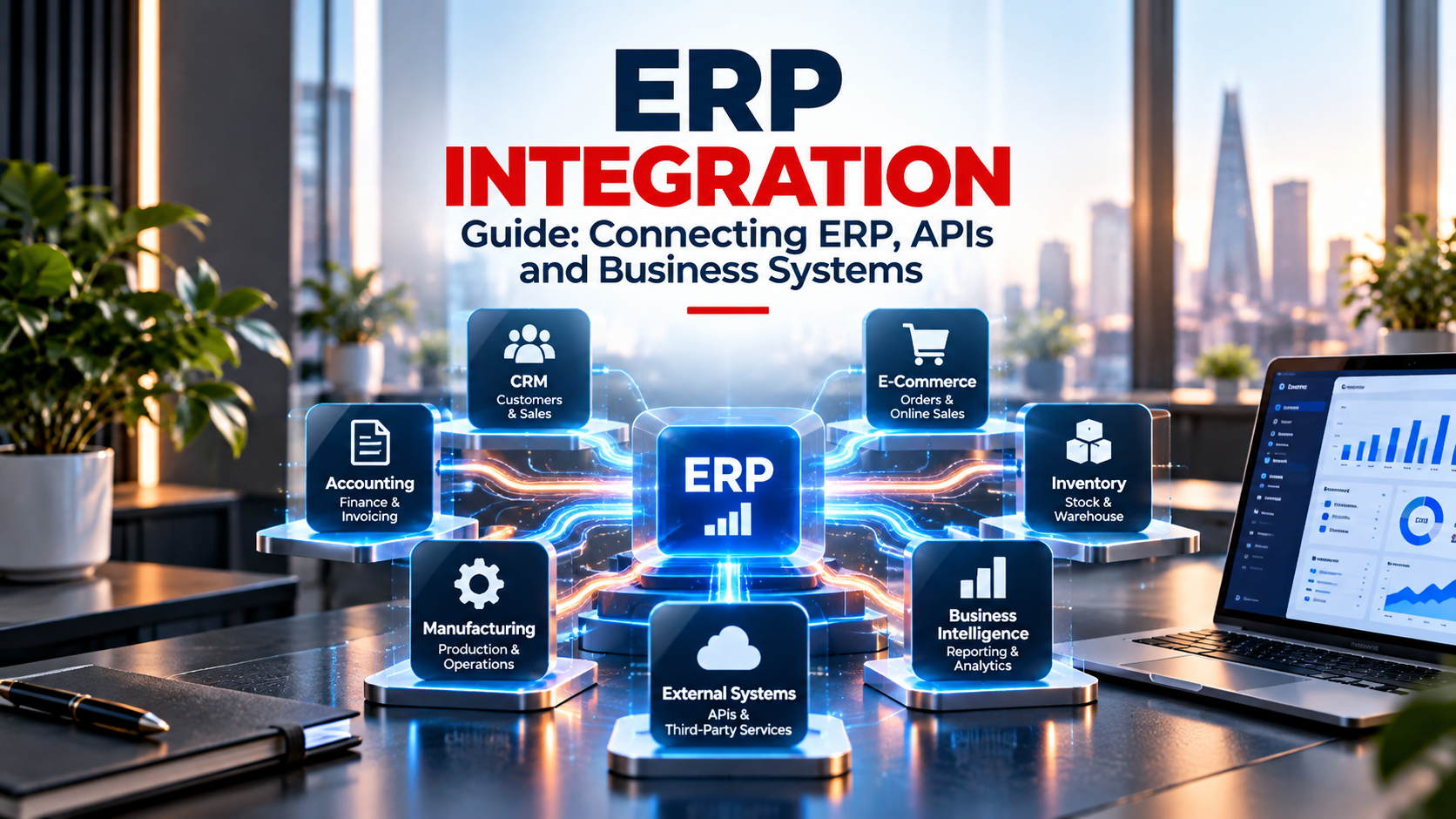
ERP systems rarely operate alone.
A business may already use CRM software, e-commerce platforms, accounting applications, warehouse systems, specialised operational software, databases or internally developed applications.
Replacing every existing system during an ERP project is not always necessary or desirable. In many cases, ERP integration provides another approach: connecting the ERP with the systems that still provide value to the organisation.
A well-designed integration can allow information to move between applications automatically, reduce repetitive data entry and create more connected business processes.
This guide explains how ERP integration works, where APIs fit in and what businesses should consider when connecting an ERP with existing systems.
What Is ERP Integration?
ERP integration is the process of connecting an Enterprise Resource Planning system with other applications, platforms or data sources used by a business.
The objective is to allow relevant information to move between systems without requiring employees to repeatedly transfer the same data manually.
For example, information created in an e-commerce platform might need to reach the ERP, while inventory information stored in the ERP may need to be made available to another application.
ERP integration therefore focuses not only on connecting software technically, but also on defining how information should move across the organisation.
Why Integrate ERP With Existing Business Systems?
Businesses often accumulate different applications over time.
Some systems may support specific operational requirements particularly well, while others may contain important historical data or provide functionality that would be difficult to replace.
Introducing an ERP does not automatically mean these applications should disappear.
Integration can allow the ERP to become part of a connected technology environment while specialised systems continue performing the functions for which they are best suited.
This can reduce unnecessary software replacement while improving the flow of information between departments and systems.
What Systems Can Be Integrated With an ERP?
The systems connected to an ERP depend on the organisation and its technology environment.
Common integration scenarios include CRM platforms, e-commerce systems, warehouse applications, accounting software, manufacturing systems, document management tools, business intelligence platforms and custom applications.
Databases and external services can also form part of the integration architecture.
The important question is not how many systems can technically be connected.
Businesses should determine which integrations solve genuine operational problems or remove unnecessary manual work.
How Does ERP API Integration Work?
APIs are one of the common methods used to connect modern business applications.
An API allows one system to request, send or update information in another system according to defined rules.
For example, an external application could send a new customer or order to the ERP through an API.
The ERP could then provide relevant inventory or status information back to another application.
However, ERP API integration involves more than establishing a technical connection.
Businesses need to define which information should move, when it should move and what should happen when information is incomplete or an integration fails.
ERP Integration With CRM Systems
Some organisations use dedicated CRM software alongside their ERP.
In this environment, the CRM may manage leads and commercial activity while the ERP handles orders, operations, inventory or financial processes.
Integration can help information move between these environments without requiring users to recreate the same records.
For example, relevant customer or sales information could move from the CRM into the ERP when a commercial process reaches an agreed stage.
The exact integration should reflect the responsibilities assigned to each system.
ERP Integration With E-Commerce Platforms
E-commerce operations often generate information that needs to interact with ERP processes.
Orders, customers, products, inventory and fulfilment information may need to move between the online platform and the ERP.
Without integration, employees may need to transfer this information manually.
A properly designed integration can automate relevant data flows while keeping clear responsibility for each type of information.
Businesses should also determine how frequently information needs to synchronise and how exceptions should be handled.
ERP Integration With Manufacturing and Operational Systems
Manufacturing businesses may already use specialised applications for production, warehouse management, engineering or other operational activities.
Replacing these systems may not always provide sufficient value.
ERP integration can allow specialised operational systems to remain in place while relevant information is exchanged with purchasing, inventory, sales, finance or other ERP processes.
This creates a connected architecture without requiring the ERP to perform every specialised function.
ERP Integration With Business Intelligence and Reporting
ERP data can also be integrated with reporting and business intelligence environments.
Operational information from the ERP may be combined with data from other systems to provide a broader view of the organisation.
The challenge is not simply moving more data into dashboards.
Businesses should first establish consistent definitions, identify reliable data sources and determine which information is actually useful for decision-making.
Integration can then support a reporting architecture based on those requirements.
ERP Integration and Workflow Automation
Integration and automation are closely related but they are not exactly the same.
Integration allows systems to exchange information.
Automation uses information or events to trigger actions without unnecessary manual intervention.
For example, an integration could transfer information from one system into the ERP. An automation workflow could then use that information to initiate another business process.
Combining ERP integration with workflow automation can therefore reduce repetitive tasks across several applications.
Point-to-Point Integration vs Integration Architecture
A simple integration may directly connect two applications.
This approach can work well when only a small number of systems need to exchange information.
However, complexity can increase when many applications become directly connected to one another.
Businesses should therefore consider the wider integration architecture rather than treating every connection as an isolated technical project.
The appropriate approach depends on the number of systems, volume of information, business requirements and expected future changes.
Common ERP Integration Challenges
ERP integration can create significant operational value, but poorly designed integrations can also introduce complexity.
One challenge is inconsistent data between systems.
Another is unclear ownership. If several applications can modify the same information, businesses need rules determining which system represents the authoritative source.
Integration failures also need to be considered. Businesses should understand what happens when a system becomes temporarily unavailable or when information cannot be processed.
Security, access permissions and monitoring should therefore be considered as part of the integration design rather than after development is complete.
ERP Integration vs ERP Customisation
Integration and customisation solve different problems.
ERP customisation changes or extends how the ERP itself behaves.
ERP integration connects the ERP with another system.
Sometimes a requirement that initially appears to need extensive ERP customisation may be better addressed by keeping an existing specialised application and integrating it with the ERP.
Understanding this distinction can help businesses avoid unnecessary development and maintain a more flexible technology environment.
Odoo and ERPNext Integration
Open-source ERP platforms such as Odoo and ERPNext can form part of integrated business environments.
Depending on the systems and requirements involved, APIs and custom integration components can be used to exchange information between the ERP and external applications.
The integration approach should be based on business processes and data requirements rather than simply connecting systems because a technical interface is available.
For both Odoo and ERPNext, careful integration design can help organisations retain useful existing systems while creating more connected operations.
How to Plan an ERP Integration Project
A successful ERP integration project should begin with the business process.
First, identify where information currently originates and where it needs to go.
Then determine which application should own each type of data.
The integration should define what information is exchanged, when it is exchanged, what triggers the exchange and how errors are handled.
Testing should use realistic business scenarios rather than focusing only on whether a technical connection works.
Monitoring and support should also be considered before the integration goes live.
Frequently Asked Questions About ERP Integration
What is ERP integration?
ERP integration connects an ERP system with other applications, platforms or data sources so that relevant information can move between them.
What is ERP API integration?
ERP API integration uses application programming interfaces to allow an ERP and another system to exchange information according to defined rules.
Can an ERP integrate with existing software?
Yes. Depending on the technical capabilities of the systems involved, an ERP can often integrate with existing business applications rather than requiring every system to be replaced.
What is the difference between ERP integration and customisation?
Integration connects the ERP with external systems. Customisation modifies or extends functionality within the ERP itself.
Can Odoo and ERPNext integrate with other systems?
Both platforms can support integrations with external applications. The appropriate method depends on the systems involved, available interfaces and business requirements.
Connecting Your ERP With Existing Systems
ERP integration should create useful connections between business processes rather than simply creating more technical connections.
NaviTrends helps businesses connect ERP platforms with existing systems through process analysis, API integration, software engineering and workflow automation.
Businesses using or evaluating open-source ERP can also explore our Odoo Implementation & Customisation and ERPNext Implementation & Customisation services.