
Automated Invoice Processing for UK SMEs: How to Reduce Manual Work and Improve Financial Control
Navitrends UK · 16 November 2026 · Updated 16/11/2026
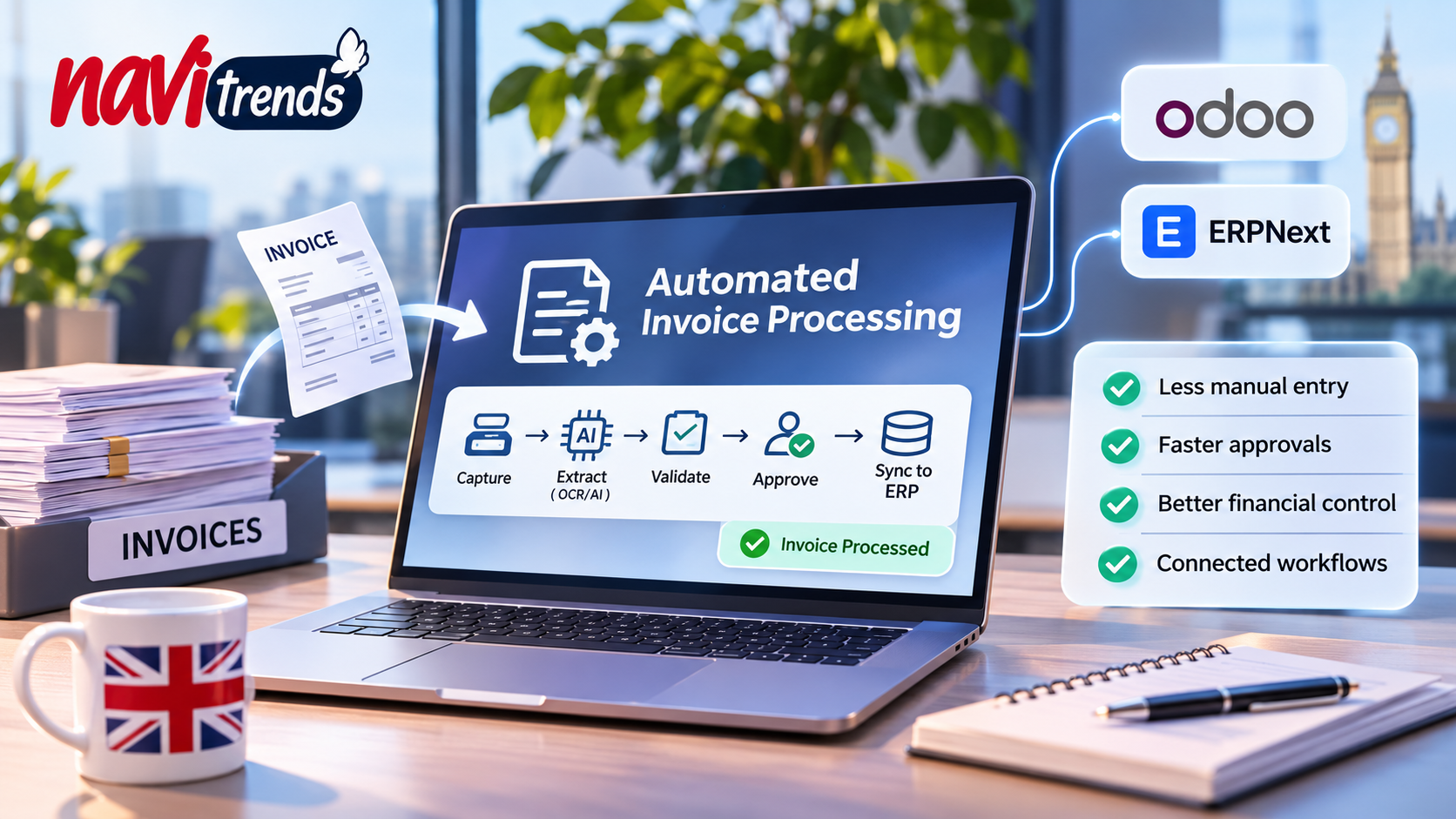
Automated Invoice Processing for UK SMEs: How to Reduce Manual Work and Improve Financial Control
Supplier invoices are an essential part of everyday business operations. Yet for many UK small and medium-sized enterprises (SMEs), processing them still involves repetitive manual tasks.
Invoices arrive by email, as PDF attachments or through supplier portals. Finance teams must extract information, verify purchase orders, obtain approvals and update accounting records.
As invoice volumes increase, these activities can become difficult to manage.
Automated invoice processing helps businesses create a more structured, connected and controlled approach to managing supplier invoices.
But how does it work, what should businesses automate, and how can it integrate with existing ERP systems?
This guide explains the process, practical benefits, implementation considerations and common mistakes to avoid.
1. What Is Automated Invoice Processing?
Automated invoice processing uses software to manage repetitive activities involved in receiving, reading, validating and recording supplier invoices.
Depending on the system, it may combine:
Optical Character Recognition (OCR)
Artificial intelligence and document extraction
Business rules and validation
Purchase order matching
Approval workflows
ERP and accounting integrations
Reporting and audit trails
The objective is to reduce unnecessary manual handling while maintaining financial controls.
For example, instead of entering invoice details into a spreadsheet, a finance employee could review information extracted automatically from a supplier's PDF invoice.
The system could then check the purchase order reference, identify discrepancies and prepare the invoice for approval.
However, automation should not mean removing human oversight from sensitive financial decisions.
2. Why Manual Invoice Processing Becomes a Problem
Consider a growing UK wholesale business receiving invoices from dozens of suppliers.
A typical manual workflow might involve:
Opening an invoice attachment.
Copying supplier details into accounting software.
Checking the invoice against a purchase order.
Contacting the warehouse to confirm delivery.
Requesting approval from a manager.
Updating financial records.
Filing the original document.
When employees repeat this process throughout the working day, several problems can emerge.
Repetitive data entry
Finance teams spend time entering information already available in supplier documents.
Inconsistent records
Manual transcription can introduce incorrect invoice numbers, amounts or supplier references.
Delayed approvals
Invoices may remain in email inboxes while employees wait for confirmation.
Limited visibility
Managers may struggle to identify which invoices are pending, disputed or ready for payment.
Difficult reconciliation
Disconnected purchasing, warehouse and accounting systems can make verification more complicated.
These problems are not necessarily caused by a lack of software.
Often, the challenge is that existing systems and workflows are insufficiently connected.
3. How Does Automated Invoice Processing Work?
A reliable automated invoice processing workflow typically includes five stages.
Stage 1: Invoice capture
Supplier invoices are collected through a defined channel, such as a shared email inbox, upload portal or business application.
Documents are registered and assigned a processing status.
Stage 2: Data extraction
OCR and AI-based extraction tools identify relevant information, including:
Supplier name
Invoice number
Invoice date
Purchase order reference
Invoice line items
VAT amounts
Total amount
Payment due date
Extracted information must be validated before it becomes part of the accounting records.
Stage 3: Invoice matching
The system compares invoice information with existing business records.
For example, a supplier invoice may be checked against an approved purchase order.
Where goods receipt information is available, the system may also perform three-way matching.
This compares the invoice, purchase order and goods receipt to identify discrepancies.
Stage 4: Approval workflow
Invoices are routed to authorised employees according to defined business rules.
For example:
Routine invoices within an approved threshold may follow a standard review process.
Higher-value invoices may require additional approval.
Invoices containing discrepancies may be routed for investigation.
The approval process should record who reviewed the invoice and what decision was made.
Stage 5: ERP integration and reconciliation
Once validated and approved, invoice information can be transferred to the appropriate financial system.
The business can then manage payment preparation, reconciliation and reporting through its established controls.
The important principle is to automate predictable tasks while keeping exceptions and sensitive decisions under appropriate human supervision.
4. Automated Invoice Processing vs Traditional OCR
OCR is often an important component of invoice automation, but it is not the complete solution.
Traditional OCR focuses on converting scanned text into machine-readable information.
A broader automated invoice processing system may also classify documents, validate extracted fields, match purchase orders and route approvals.
Capability | Basic OCR | Automated invoice processing |
|---|---|---|
Recognise invoice text | Yes | Yes |
Extract structured invoice fields | With additional configuration | Yes, depending on the solution |
Check purchase orders | No, not by itself | With ERP integration |
Detect potential duplicates | No, not by itself | With validation rules |
Route approvals | No | With workflow automation |
Update accounting records | No | With authorised integration |
Provide audit trails | Requires additional systems | Can be included |
Businesses should evaluate the complete workflow rather than selecting technology based only on extraction capabilities.
5. Connecting Invoice Automation With ERP Systems
Invoice processing becomes more useful when the information extracted from documents can be connected to existing business systems.
For example, a company may already manage purchasing, inventory and accounting through an ERP platform.
Rather than introducing another disconnected application, invoice automation can be designed to work with those existing processes.
Invoice automation with Odoo
Odoo provides integrated applications for accounting, purchasing and inventory.
Depending on the selected edition, configuration and available integrations, businesses can design workflows that connect supplier invoices with purchasing and financial records.
Learn more about NaviTrends' Odoo implementation and integration services.
Invoice automation with ERPNext
ERPNext provides integrated purchasing, accounting and inventory capabilities.
Its framework and integration options can support customised document workflows and validation processes.
Explore NaviTrends' ERPNext services.
What should businesses check before integrating?
Before implementing invoice automation, identify:
Where supplier information is maintained
How purchase orders are created
Whether goods receipts are recorded
Who approves supplier invoices
Which system holds the accounting records
How errors and duplicate records are handled
These questions help prevent automation from creating inconsistencies between applications.
6. What Are the Benefits of Automated Invoice Processing?
Less repetitive administration
Automated extraction can reduce the amount of information employees enter manually.
More consistent invoice validation
Defined rules can identify missing information, duplicate invoice references and mismatched amounts.
Better approval visibility
A structured workflow makes it easier to see which invoices require attention.
Improved financial control
Connecting invoices with purchasing and accounting records can support more consistent verification.
More useful operational reporting
Businesses can monitor processing times, outstanding approvals and recurring exceptions.
These benefits are not automatic.
They depend on the quality of existing data, document formats, business rules and system integrations.
7. How Much Does Automated Invoice Processing Cost?
Implementation costs vary considerably depending on business requirements.
A company processing a small number of standard invoices may need a relatively simple solution.
An organisation handling thousands of invoices across multiple departments may require more extensive integration and approval controls.
Important cost factors include:
Invoice volume
Document formats
OCR and AI usage
Hosting and infrastructure
ERP integration
Custom validation rules
Approval workflow complexity
Security requirements
Employee training
Ongoing maintenance
How to calculate potential return on investment
Businesses can begin with a simple assessment:
Monthly processing cost = Number of invoices × Average processing cost per invoice
The average processing cost should include relevant employee time, correction work and other measurable operational expenses.
Next, compare the existing process with a proposed automated workflow.
For example, measure:
Average handling time per invoice
Percentage of invoices requiring manual correction
Average approval time
Number of duplicate or disputed invoices
Monthly software and maintenance costs
A pilot provides more reliable evidence than assuming a fixed percentage of savings.
8. Automated Invoice Processing and UK Compliance
UK businesses should consider relevant accounting, VAT, data protection and record-retention requirements when introducing invoice automation.
VAT information
Invoice workflows must preserve the information needed for the business's applicable VAT obligations.
Businesses should refer to HMRC's VAT record-keeping guidance and seek professional tax advice where necessary.
Data protection
Supplier documents may contain personal information.
Organisations should assess access permissions, retention periods, third-party processing and security measures.
The Information Commissioner's Office provides guidance on AI and data protection.
Approval and payment controls
An automated invoice workflow should not give unrestricted authority to approve payments or modify supplier bank details.
Appropriate separation of responsibilities and verification procedures remain important.
Preparing for future e-invoicing requirements
UK businesses should also monitor official developments in electronic invoicing.
Structured e-invoicing and OCR-based PDF extraction are different approaches, so businesses should not assume that an existing OCR solution will automatically satisfy future requirements.
9. Common Invoice Automation Mistakes
Automating an unclear process
If employees do not agree on how invoices should be checked and approved, adding software may increase confusion.
Better approach: Document the current workflow before designing automation.
Ignoring poor supplier data
Duplicate or inconsistent supplier records can cause matching errors.
Better approach: Clean important reference data before integration.
Removing human review too early
Extraction tools can misinterpret documents or fail to identify important exceptions.
Better approach: Begin with controlled validation and review.
Creating another disconnected system
A standalone extraction tool may reduce typing without improving the wider finance process.
Better approach: Evaluate integration with purchasing and accounting systems.
Failing to measure results
Without a baseline, businesses cannot determine whether automation has improved performance.
Better approach: Define measurable objectives before starting.
10. How to Implement Automated Invoice Processing
For many SMEs, a phased approach is more practical than attempting to automate every finance process at once.
Step 1: Assess the current workflow
Identify how invoices arrive, who handles them and where delays occur.
Step 2: Select a controlled pilot
Choose a manageable group of suppliers or one invoice category.
Step 3: Define the required information
Specify which invoice fields must be extracted and validated.
Step 4: Establish business rules
Document matching requirements, approval thresholds and exception handling.
Step 5: Connect the relevant systems
Integrate the workflow with existing purchasing, inventory or accounting applications where appropriate.
Step 6: Test with representative documents
Include different layouts, incomplete invoices, duplicates and mismatched amounts.
Step 7: Measure the results
Compare processing time, accuracy, exception rates and operating costs against the original process.
Step 8: Expand gradually
Extend the solution only after the pilot demonstrates reliable results.
11. How NaviTrends Can Help
At NaviTrends, we help businesses improve operational workflows through digital engineering, ERP integration and intelligent automation.
For invoice processing, our approach begins with understanding the existing finance and purchasing processes.
We can help businesses assess opportunities involving:
Document extraction and OCR
AI-assisted invoice processing
Workflow automation
ERP and accounting integration
API connectivity
Data validation
Operational reporting
The objective is not simply to introduce another application.
It is to build a connected process that reduces unnecessary manual work while maintaining appropriate financial controls.
Still processing supplier invoices manually?
Contact NaviTrends to discuss your existing workflow and explore a practical automation pilot.
Start with one process, identify the bottleneck and evaluate the potential improvement before investing in a wider implementation.
Frequently Asked Questions
What is automated invoice processing?
Automated invoice processing uses software to capture, extract, validate and route supplier invoices, reducing repetitive manual activities.
Can AI process PDF invoices?
Yes. AI-assisted document processing can extract information from many PDF invoices. However, results require validation because document layouts and quality vary.
What is the difference between invoice automation and accounts payable automation?
Invoice automation often focuses on capturing, extracting and processing invoice information. Accounts payable automation may cover a wider process, including approvals, payment preparation and reconciliation.
Can automated invoice processing work with Odoo?
Yes, depending on the edition, configuration and integration requirements. Odoo's purchasing and accounting capabilities can form part of an invoice automation workflow.
Can invoice processing be integrated with ERPNext?
Yes. ERPNext provides purchasing and accounting capabilities that can be connected with appropriately designed document processing workflows.
Is automated invoice processing suitable for small businesses?
It may be suitable when repetitive invoice handling creates sufficient administrative work to justify the implementation and operating costs.
Does invoice automation eliminate human approval?
Not necessarily. Human review remains important for discrepancies, sensitive financial decisions and payment authorisation.
Final Thoughts
Automated invoice processing offers UK SMEs an opportunity to improve how supplier invoices move through their organisations.
However, successful automation requires more than extracting information from PDFs.
Businesses need reliable data, clear approval rules, connected systems and appropriate human oversight.
The most effective starting point is often a small, measurable improvement to an existing workflow.
Better invoice processing is not simply about handling documents faster. It is about creating a more reliable connection between purchasing, finance and everyday business operations.