
ERP Reporting and Dashboards for UK SMEs: Turn Business Data into Better Decisions
Navitrends UK · 17 November 2026 · Updated 17/11/2026
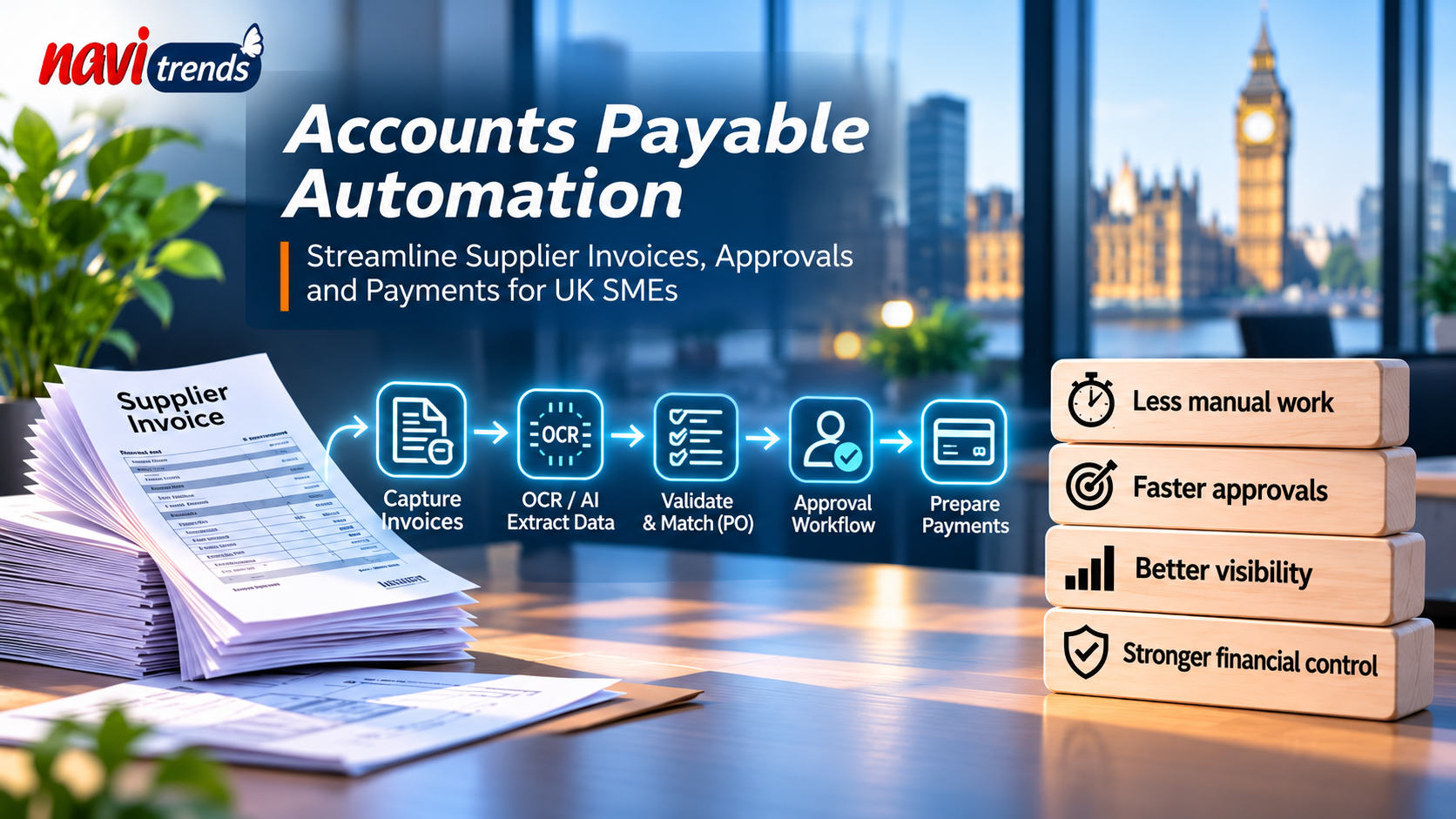
Accounts Payable Automation for UK SMEs: Benefits, Software and Implementation
Managing supplier invoices and payments is an essential part of running a business. Yet many UK small and medium-sized enterprises (SMEs) still rely on emails, spreadsheets and manual data entry to manage their accounts payable processes.
As businesses grow, these manual activities can lead to delayed approvals, duplicate invoices, limited payment visibility and unnecessary administrative work.
Accounts payable automation helps businesses streamline supplier invoice management, approval workflows and payment preparation through connected digital systems.
But how does it work? What are the benefits for UK SMEs? And how can businesses introduce automation without replacing their existing ERP or accounting software?
This guide explores the key features, implementation considerations and practical applications of accounts payable automation.
1. What Is Accounts Payable Automation?
Accounts payable automation is the use of software and digital workflows to simplify and manage the processes involved in paying suppliers.
Accounts payable (AP) represents the money a business owes to its suppliers for goods or services purchased on credit.
Traditionally, managing these obligations involves several manual activities, including receiving invoices, checking information, obtaining approvals and updating accounting records.
Accounts payable automation can streamline these activities through:
Automated supplier invoice capture
Optical Character Recognition (OCR)
AI-assisted invoice data extraction
Invoice validation and duplicate detection
Purchase order matching
Digital approval workflows
Payment scheduling and preparation
ERP and accounting software integration
Financial reporting and audit trails
The objective is not simply to process invoices faster.
It is to create a more reliable, connected and transparent financial workflow.
2. Why Manual Accounts Payable Processes Become a Problem
Consider a growing UK distribution company receiving invoices from multiple suppliers.
A typical manual process may involve:
Receiving an invoice by email.
Downloading and reviewing the PDF.
Entering invoice details into accounting software.
Checking the corresponding purchase order.
Requesting approval from a manager.
Scheduling the invoice for payment.
Updating financial records.
Archiving the supporting documents.
Although this approach may work for a small number of invoices, it can become increasingly difficult to manage as transaction volumes grow.
Repetitive data entry
Finance employees spend valuable time copying information between invoices, spreadsheets and accounting systems.
Delayed invoice approvals
Invoices may remain in email inboxes while employees wait for authorisation.
Duplicate invoice risks
Without consistent validation, duplicate supplier invoices can be difficult to identify.
Limited payment visibility
Finance managers may struggle to obtain an accurate overview of outstanding invoices and upcoming payment obligations.
Disconnected financial information
Purchasing, inventory and accounting applications may contain related information without being properly integrated.
These challenges often indicate that businesses need better workflow automation and system connectivity.
3. How Does Accounts Payable Automation Work?
A typical accounts payable automation workflow includes six main stages.
Step 1: Supplier invoice capture
Supplier invoices are collected through a defined channel, such as a shared email inbox, supplier portal or document management application.
The system registers each invoice and prepares it for processing.
Step 2: Automated invoice processing
Invoice automation software can use OCR and AI-assisted extraction to identify relevant information.
This may include:
Supplier name
Invoice number
Invoice date
Purchase order reference
VAT amount
Total invoice amount
Payment terms
Payment due date
The extracted information is then validated against the business's records.
AI-assisted extraction can reduce repetitive work, but the results should still be checked, particularly when documents are incomplete or contain unusual formats.
Step 3: Invoice validation and matching
The system compares invoice details with existing purchasing information.
For example, an invoice can be checked against an approved purchase order.
Where goods receipt information is available, the workflow may support three-way matching between:
The purchase order
The goods receipt
The supplier invoice
Any differences in quantities, prices or totals can be flagged for investigation.
Step 4: Invoice approval workflow
Invoices are routed to authorised employees according to predefined business rules.
For example, routine invoices may follow a standard approval process, while higher-value transactions require additional authorisation.
Digital approval workflows help employees track invoice status and identify outstanding decisions.
Step 5: Payment preparation
Once approved, invoices can be prepared for payment according to their due dates and the company's financial procedures.
Payment preparation should remain subject to appropriate controls.
Automated workflows should not bypass supplier bank detail verification or authorised payment approval.
Step 6: ERP integration and reconciliation
Approved transactions are recorded in the relevant ERP or accounting system.
Finance teams can then monitor outstanding liabilities, supplier balances and payment status.
The result is a more connected financial process with clearer responsibilities and improved visibility.
4. Accounts Payable Automation vs Automated Invoice Processing
Although the terms are closely related, accounts payable automation and automated invoice processing do not cover exactly the same activities.
Automated Invoice Processing | Accounts Payable Automation |
|---|---|
Focuses on invoice capture and processing | Covers the broader supplier payment workflow |
Extracts information from invoices | Includes validation, approval and payment preparation |
Uses OCR and document processing technologies | Combines document processing with financial workflows |
Reduces manual invoice entry | Supports end-to-end accounts payable operations |
Can operate as an individual component | Can connect several finance activities |
Automated invoice processing is often one component of a broader accounts payable automation solution.
For example, a business may initially automate invoice data extraction before introducing purchase order matching, approval workflows and financial reporting.
5. Key Benefits of Accounts Payable Automation for UK SMEs
Reduced administrative workload
Automating repetitive activities can reduce the amount of manual data entry and document handling required from finance teams.
Employees can focus more attention on supplier enquiries, exceptions and financial analysis.
Improved invoice accuracy
Validation rules can help identify missing information, duplicate invoice references and mismatched amounts.
However, automation does not guarantee error-free processing.
Appropriate review procedures remain essential.
Faster approval workflows
Digital routing can reduce delays caused by manual email forwarding and unclear responsibilities.
Better visibility over supplier payments
Finance managers can monitor outstanding invoices, upcoming payment obligations and approvals awaiting action.
Stronger financial controls
Approval rules, access permissions and audit trails can help organisations apply consistent financial procedures.
Improved system integration
Connected workflows can reduce the need to transfer information manually between purchasing, accounting and ERP applications.
The actual benefits depend on the organisation's invoice volumes, data quality, existing processes and implementation requirements.
6. What Should You Look for in Accounts Payable Automation Software?
Choosing accounts payable automation software should begin with understanding your business processes.
Important capabilities to evaluate include:
Invoice capture and OCR
Can the software process the invoice formats used by your suppliers?
Purchase order matching
Can invoice information be compared with existing purchasing records?
Custom approval workflows
Can approval rules reflect your organisation's responsibilities and spending limits?
Duplicate invoice detection
Can the system identify potential duplicates using invoice numbers, supplier information and amounts?
ERP integration
Can the solution exchange information reliably with your existing accounting or ERP platform?
Audit trails
Can employees trace invoice status, approvals and changes?
Reporting
Can finance managers monitor outstanding invoices, approval times and supplier balances?
Security
Does the solution provide suitable access controls, data protection measures and payment verification procedures?
Total cost
Consider licensing, implementation, integration, maintenance and employee training.
The most appropriate solution is not necessarily the one with the greatest number of features.
It is the one that supports your actual financial processes without introducing unnecessary complexity.
7. Accounts Payable Automation With Odoo and ERPNext
Businesses already using an ERP platform may not need to replace their existing software to improve accounts payable operations.
In many cases, the first step is to evaluate available functionality and identify opportunities for integration or workflow improvement.
Accounts payable automation with Odoo
Odoo provides integrated applications for accounting, purchasing and inventory management.
Depending on the edition, configuration and available modules, businesses can manage supplier invoices, connect purchasing information and establish appropriate approval procedures.
Additional integration or custom development may be required when financial workflows involve external applications or specialised business rules.
Learn more about NaviTrends' Odoo implementation and integration services.
Accounts payable automation with ERPNext
ERPNext includes integrated purchasing and accounting capabilities.
Its document workflows and integration options can support supplier invoice management and financial reporting.
Where standard functionality does not meet business requirements, additional configuration or development may be considered.
Explore NaviTrends' ERPNext services.
Should you replace your existing ERP?
Not necessarily.
Before investing in a new platform, assess whether your existing system can support the required workflow through configuration, integration or automation.
Replacing a functioning ERP system may introduce unnecessary migration costs and operational risks.
8. Real-World Example: How NaviTrends Automates Document Workflows
Accounts payable automation depends on several capabilities that are also used in other document-intensive business processes.
These include document classification, information processing, workflow routing and system integration.
A relevant example comes from NaviTrends' work with Alexann, a company based in France.
The challenge
Alexann needed to improve the classification and distribution of audit reports between audit organisations, laboratories and their clients.
Managing these documents required a structured process to ensure that reports were correctly identified and directed to the appropriate recipients.
The NaviTrends solution
NaviTrends developed an automated workflow to support:
Document classification
Report routing
Distribution between the relevant parties
More structured document handling
The project demonstrates how software automation can reduce repetitive activities within a document-intensive workflow.
What does this have to do with accounts payable automation?
The Alexann project focused on audit reports, not supplier invoices or payment processing.
However, several underlying technical principles are transferable.
For example:
Alexann document workflow | Potential accounts payable application |
|---|---|
Document classification | Supplier invoice identification |
Automated document routing | Invoice approval routing |
Structured distribution | Transfer of validated invoice information |
Workflow automation | Reduction of repetitive finance tasks |
The same general approach to workflow analysis, automation and integration can help organisations evaluate how to improve their financial processes.
The key lesson is that successful automation begins with understanding how information moves between people, documents and systems.
Discover more examples of NaviTrends' work in the Case Studies section of the NaviTrends UK website.
9. Accounts Payable Automation and UK VAT Requirements
UK businesses should ensure that automated financial workflows support their applicable accounting and VAT obligations.
HM Revenue & Customs (HMRC) requires businesses to maintain appropriate VAT records, including relevant purchase and sales invoices.
Automated accounts payable processes should preserve the information needed for accurate financial records and audit trails.
Important considerations include:
Retaining required invoice records
Checking relevant supplier VAT information
Preserving invoice dates and transaction values
Maintaining accurate accounting records
Recording credit notes and corrections
Supporting applicable digital record-keeping requirements
Businesses should consult the official HMRC guidance on keeping VAT records.
Automation can support record management, but it does not remove the organisation's responsibility for compliance.
Data protection and security
Supplier documents may contain personal data, including contact details and information relating to sole traders.
Organisations using AI-assisted document processing should assess relevant privacy, security and third-party processing requirements.
The Information Commissioner's Office provides guidance on artificial intelligence and data protection.
Businesses should also maintain strong controls when supplier bank details are created or modified.
10. How Much Does Accounts Payable Automation Cost?
The cost of implementing accounts payable automation depends on the organisation's requirements.
A small business processing a limited number of invoices may need a relatively simple solution.
A larger organisation operating across multiple departments may require more extensive integration and approval controls.
Key cost factors include:
Monthly invoice volume
Number of users
Document extraction requirements
Approval workflow complexity
ERP and accounting integrations
Custom development
Hosting and infrastructure
Software licensing
Security requirements
Maintenance and support
How to estimate potential return on investment
Start by measuring the current accounts payable process.
Useful indicators include:
Number of invoices processed monthly
Average handling time per invoice
Number of invoices requiring correction
Average approval time
Time spent resolving supplier enquiries
Existing software and operating costs
Then compare these measures with the results of a controlled automation pilot.
A simple calculation is:
Monthly labour time saved = Monthly invoice volume × Reduction in average handling time
To estimate financial value, businesses can consider the relevant labour costs alongside implementation and operating expenses.
Not every hour saved automatically represents a direct cash saving.
The objective is to measure operational improvements realistically.
11. Common Accounts Payable Automation Mistakes
Automating an inefficient workflow
Technology cannot compensate for unclear responsibilities or inconsistent approval procedures.
Better approach: Document and review the existing process before implementing automation.
Ignoring supplier master data
Duplicate supplier records and outdated information can create matching problems.
Better approach: Validate important supplier information before integration.
Removing human oversight
Invoices may contain incorrect amounts, unusual payment instructions or fraudulent information.
Better approach: Maintain review procedures for exceptions and sensitive financial transactions.
Overcomplicating the first implementation
Trying to automate every finance activity simultaneously can increase project complexity.
Better approach: Begin with a clearly defined process and measurable objectives.
Failing to connect purchasing and accounting
Automating invoice extraction alone may still leave employees transferring information manually between applications.
Better approach: Consider the complete workflow and relevant system integrations.
Not monitoring performance
Without clear KPIs, businesses cannot determine whether automation has delivered meaningful improvements.
Better approach: Measure processing times, exception rates, approval delays and operating costs.
12. How to Implement Accounts Payable Automation Successfully
A phased approach is often more practical than attempting to automate the entire finance department at once.
Step 1: Map the existing process
Document how invoices arrive, who validates them and how payments are authorised.
Step 2: Identify the main bottleneck
Focus on the activity creating the greatest measurable problem.
This might involve manual data entry, approval delays or poor visibility over outstanding invoices.
Step 3: Define the automation scope
Decide whether the first project will cover invoice extraction, approval workflows, ERP integration or another specific activity.
Step 4: Review existing systems
Assess the capabilities of your accounting software, purchasing applications and ERP platform.
Step 5: Establish financial controls
Define access permissions, approval thresholds, exception handling and payment verification procedures.
Step 6: Build and test a pilot
Use representative supplier invoices, including incomplete documents, duplicates and mismatched amounts.
Step 7: Measure the results
Compare processing time, accuracy, approval delays and operational costs with the original workflow.
Step 8: Expand gradually
Once the pilot demonstrates reliable results, extend automation to additional suppliers, departments or financial activities.
13. How NaviTrends Can Help With Accounts Payable Automation
At NaviTrends, we help businesses improve operational workflows through ERP integration, digital engineering and intelligent automation.
Accounts payable processes often involve several connected applications, including purchasing systems, document management tools and accounting software.
Our approach begins with understanding how information moves through the organisation and identifying opportunities to reduce unnecessary manual work.
Depending on business requirements, we can help assess and develop solutions involving:
Supplier invoice processing
AI-assisted document extraction and OCR
Approval workflow automation
ERP and accounting integration
API connectivity
Business process optimisation
Data validation and reporting
Our experience with document automation projects, including the Alexann case study, illustrates the importance of connecting technical capabilities with real operational requirements.
The objective is not simply to introduce another application.
It is to create a reliable, maintainable process that supports existing business operations.
Ready to Improve Your Accounts Payable Process?
If your finance team spends too much time processing supplier invoices, following up approvals or reconciling disconnected systems, it may be time to review your existing workflow.
Contact NaviTrends to discuss your accounts payable challenges and explore a practical automation approach.
Start with one process, one measurable problem and a solution designed around your business.
Frequently Asked Questions
What is accounts payable automation?
Accounts payable automation uses software to streamline supplier invoice management, approvals, payment preparation and related financial activities.
What is the difference between accounts payable automation and invoice automation?
Invoice automation focuses primarily on capturing, extracting and processing invoice information. Accounts payable automation covers a broader financial workflow, including approvals, supplier liabilities and payment preparation.
Is accounts payable automation suitable for small businesses?
It can be suitable when repetitive invoice handling and approval activities create sufficient operational costs to justify automation.
Can accounts payable automation integrate with Odoo?
Yes. Depending on the configuration and requirements, Odoo's accounting and purchasing capabilities can support connected accounts payable workflows.
Can ERPNext support accounts payable automation?
Yes. ERPNext provides purchasing and accounting functionality that can be configured or extended to support supplier invoice workflows.
Does accounts payable automation automatically pay suppliers?
Not necessarily. Many solutions focus on invoice capture, validation and approval. Payment execution depends on the system, integration and financial controls.
Can AI help with accounts payable automation?
Yes. AI-assisted extraction can help identify information from supplier invoices, while workflow automation can support validation and routing. Human oversight remains important for exceptions and sensitive financial decisions.
How long does accounts payable automation implementation take?
The timeline depends on existing systems, data quality, integration requirements and workflow complexity. A limited pilot can help establish realistic implementation requirements.
How can businesses measure accounts payable automation performance?
Useful KPIs include average invoice processing time, approval delays, exception rates, duplicate invoice incidents and processing costs.
Final Thoughts
Accounts payable automation offers UK SMEs an opportunity to reduce repetitive finance tasks, improve approval visibility and connect supplier invoice workflows with existing business systems.
However, successful implementation requires more than purchasing invoice automation software.
Businesses need reliable supplier data, clearly defined financial controls, suitable integrations and a realistic understanding of the processes they want to improve.
Real-world document automation projects also demonstrate the importance of understanding business workflows before introducing new technology.
The most effective approach is to start with a specific accounts payable bottleneck, measure the results and expand automation where it delivers meaningful operational value.