
ERP Accounting: How ERP Connects Finance and Business Operations
Navitrends UK · 8 October 2026 · Updated 09/10/2026
What Is ERP Accounting?
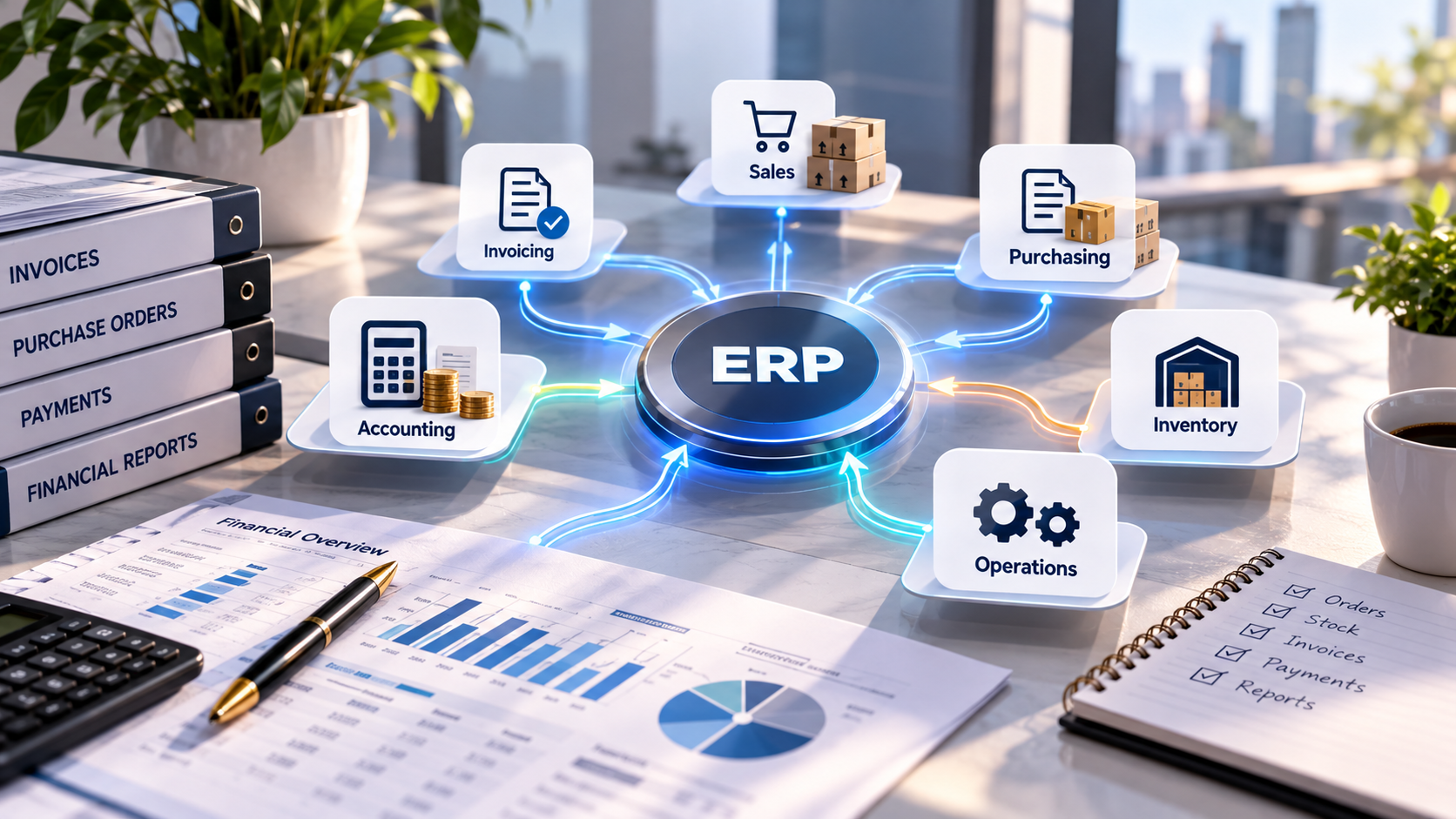
ERP accounting refers to the financial management capabilities within an Enterprise Resource Planning (ERP) system.
Instead of managing accounting information separately from sales, purchasing, inventory and other business activities, an ERP can bring these processes together within a connected environment.
For example, a business may use its ERP to manage customer invoices, supplier bills, payments, financial records and reporting while linking these activities to the operational transactions that generate them.
The goal is not simply to replace accounting software. It is to create more consistent information flows between finance and the rest of the organisation.
For UK businesses evaluating ERP accounting, understanding these connections is essential when selecting or implementing a system.
How Does ERP Accounting Work?
An ERP system connects different business functions through shared data and defined workflows.
When a transaction takes place in one area of the business, relevant information can become available to other authorised users or processes.
Consider a simple sales example:
A sales team confirms a customer order.
The business prepares and delivers the goods or services.
An invoice is generated according to the configured workflow.
The finance team records or reviews the financial transaction.
Reporting reflects the relevant operational and financial information.
The exact accounting entries and automation depend on the ERP platform, its configuration and the organisation's accounting processes.
The important principle is that connected systems can reduce the need to repeatedly enter the same information into separate applications.
ERP Accounting vs Traditional Accounting Software
Traditional accounting software primarily focuses on financial activities such as bookkeeping, invoicing, payments and financial reporting.
ERP accounting can provide these capabilities while connecting them to a broader range of business operations.
Traditional accounting software | ERP accounting |
|---|---|
Primarily focused on financial records | Connected to wider operational processes |
May require external integrations | Can share information across ERP modules |
Operational information may remain separate | Sales, purchasing and inventory can be linked |
Reporting often focuses on finance | Reporting can combine finance and operational data |
Additional software may be needed | Multiple processes may be managed within one platform |
This does not mean that every business needs a complete ERP system.
For some organisations, dedicated accounting software remains appropriate. ERP becomes particularly relevant when operational complexity or disconnected systems create problems that financial software alone cannot address.
How ERP Connects Finance With Business Operations
1. Sales and Customer Invoicing
Sales and finance teams often work with related information.
When sales orders, customer records and invoicing are managed through connected workflows, businesses can reduce duplicate data entry and improve transaction traceability.
For example, finance teams may be able to review invoices alongside the orders and customer information associated with them.
The precise workflow depends on the organisation's sales and invoicing processes.
2. Purchasing and Supplier Bills
Purchasing activities create financial obligations.
An ERP can connect purchase orders, supplier information, receipts and supplier bills.
This helps organisations compare what was ordered, what was received and what has been invoiced.
Appropriate approval and validation workflows can also help teams identify discrepancies before processing payments.
3. Inventory and Stock Valuation
For businesses that manage physical goods, inventory movements can have financial implications.
An ERP may connect stock receipts, deliveries, adjustments and valuation information with accounting processes.
This can improve consistency between operational stock records and financial reporting.
However, inventory valuation depends on the accounting methods, system configuration and business requirements involved.
4. Manufacturing and Production
Manufacturing businesses may need to understand how materials, production activities and finished goods relate to operational costs.
A connected ERP can help bring together purchasing, inventory, production and financial information.
This creates opportunities for more consistent cost analysis and operational reporting.
The available costing capabilities depend on the selected ERP and its configuration.
5. Projects and Service Operations
Service businesses may need to connect project activities with expenses, invoicing and financial performance.
An ERP can support workflows that link project records, time entries, billable activities and customer invoices.
This can make it easier to understand the financial position of projects without maintaining several disconnected spreadsheets.
Key Benefits of ERP Accounting
More Consistent Financial Information
When departments work with connected records, businesses can reduce discrepancies caused by entering similar information in different systems.
This does not eliminate the need for data validation, but it can improve consistency.
Reduced Manual Data Entry
Integrated workflows can reduce repetitive tasks such as transferring invoice details or customer information between applications.
The level of automation depends on the business processes and system configuration.
Improved Financial Visibility
ERP reporting can bring together financial information and relevant operational activity.
This may help managers understand how sales, purchasing, stock or projects contribute to business performance.
Better Process Traceability
Connected transactions can make it easier to follow information from an original business activity through to the related financial record.
This can support internal reviews and operational controls.
Opportunities for Automation
Businesses can introduce suitable automation for invoice processing, approval workflows, data transfers and notifications.
Automation should be designed around clear business rules and appropriate validation.
ERP Accounting and Financial Reporting
Financial reporting is an important part of any accounting environment.
Depending on the platform and configuration, ERP systems may support general ledger reporting, trial balances, profit and loss statements, balance sheets, receivables and payables analysis.
Connecting accounting information with operational data can also support management reporting.
For example, a business may want to compare sales performance with purchasing activity or analyse project costs alongside invoiced revenue.
Reliable reporting requires more than dashboards.
The underlying transactions, account mappings, data quality and reporting rules must be accurate and consistently maintained.
ERP Accounting and Invoice Automation
A business may receive supplier invoices by email, PDF or another document format.
Depending on its requirements, an automated workflow could:
Receive an invoice document.
Extract relevant information using document-processing technology.
Match the extracted information against supplier or purchase records.
Flag missing or inconsistent details.
Submit the document for review and approval.
Create or update the relevant ERP record after validation.
Automation does not remove the need for appropriate accounting controls.
Human review may remain necessary, particularly for exceptions, uncertain extracted data or sensitive financial transactions.
ERP Accounting Integration With Existing Systems
Not every organisation wants to replace all its existing software.
Some businesses already use dedicated accounting applications and need them to communicate with operational systems.
In these situations, ERP integration may involve connecting finance software with CRM platforms, e-commerce applications, warehouse systems or other business tools.
Integration can use APIs, scheduled data transfers or other suitable technical approaches.
Before building an integration, businesses should define:
Which system owns each type of information
What data needs to be exchanged
When information should be synchronised
How errors and duplicates will be handled
Who can access or modify financial records
How transactions will be validated and reconciled
A well-defined integration architecture helps avoid inconsistent records across systems.
ERP Accounting With Odoo and ERPNext
Odoo and ERPNext are two platforms businesses may consider when evaluating connected ERP and accounting processes. Organisations exploring Odoo implementation and customisation or ERPNext implementation and integration can assess how financial management connects with sales, purchasing, inventory and other operational activities.
Odoo Accounting
Odoo provides accounting-related functionality that can connect with other business applications, depending on the edition, modules and configuration.
Businesses may evaluate Odoo when they want to bring invoicing, purchasing, sales and other operational activities into a connected environment.
Implementation should include a review of financial workflows, account configuration, integrations and reporting requirements.
ERPNext Accounting
ERPNext includes accounting capabilities designed to work alongside other ERP functions.
Depending on configuration, businesses can connect financial records with sales, purchasing, inventory, projects and other processes.
As with any ERP implementation, account structures, permissions, transaction rules and reporting must be reviewed against the organisation's requirements.
For both platforms, UK-specific accounting and tax requirements should be assessed separately with qualified professionals and verified against the relevant software functionality.
Common Challenges When Implementing ERP Accounting
ERP accounting projects can involve several challenges.
Inconsistent historical data: Customer, supplier and financial records may need cleaning before migration.
Incorrect account mappings: Financial transactions must be mapped carefully to the appropriate accounts and reporting structures.
Unclear approval workflows: Businesses need to define who creates, reviews and approves financial transactions.
Integration complexity: Existing accounting and operational systems may use different data structures.
Insufficient testing: Incorrect transaction rules can affect reporting and reconciliation.
Limited user training: Employees need to understand both the system and the processes they are expected to follow.
These challenges are easier to manage when finance teams, business analysts and technical specialists work together throughout the project.
How to Plan an ERP Accounting Implementation
Step 1: Understand Current Financial Processes
Review invoicing, purchasing, payments, reporting and the relationship between finance and other departments.
Identify manual tasks, duplicated records and existing system limitations.
Step 2: Define Requirements
Determine which accounting functions are needed and how they should connect with sales, inventory, projects or other operations.
Document reporting, approval and access requirements.
Step 3: Prepare Financial Data
Review existing accounts, customers, suppliers, opening balances and transaction records.
Plan how data will be migrated and validated.
Step 4: Configure and Integrate
Configure the relevant ERP functions and develop necessary connections with existing systems.
Avoid unnecessary customisation where standard functionality meets the business requirements.
Step 5: Test With Finance Users
Test realistic transactions, approval workflows, data migration results and financial reports.
Reconcile relevant balances and confirm that the configured processes behave as expected.
Step 6: Train and Support
Provide appropriate training, documentation and support during deployment.
Monitor the system after go-live and address issues identified through real operational use.
Frequently Asked Questions About ERP Accounting
What is ERP accounting?
ERP accounting refers to financial management capabilities within an ERP system, allowing accounting processes to connect with wider business operations.
Is ERP accounting different from accounting software?
Yes. Dedicated accounting software primarily focuses on finance, while ERP accounting can connect financial activities with sales, purchasing, inventory, projects and other processes. The exact capabilities vary by platform.
Can ERP accounting reduce manual work?
It can reduce repetitive data entry when workflows and systems are appropriately connected. The results depend on the implementation and the quality of the underlying data.
Can an ERP integrate with existing accounting software?
Yes, where suitable integration capabilities are available. The technical approach depends on the applications, APIs, data structures and business requirements.
Do small businesses need ERP accounting?
Not necessarily. The decision depends on operational complexity, existing software limitations and whether connecting finance with other business processes would create meaningful value.
Can Odoo and ERPNext support accounting processes?
Both platforms provide accounting-related capabilities. Businesses should evaluate the relevant edition, configuration, integrations and local requirements before implementation.
Connecting Finance and Operations With NaviTrends
Accounting information becomes more useful when it is connected to the business activities behind it.
At NaviTrends, we help organisations analyse operational processes, implement and customise ERP systems, connect existing applications and automate suitable workflows.
Our approach combines business analysis and software engineering to help build systems that reflect real operational requirements.
Whether you are considering Odoo implementation and customisation, exploring ERPNext implementation and customisation, or looking to integrate existing accounting software with other business systems, NaviTrends can help you define a practical approach based on your operational requirements.
Contact NaviTrends to discuss your project.
Explore our Odoo Implementation & Customisation and ERPNext Implementation & Customisation services, or contact NaviTrends to discuss your requirements.